The forum is currently inactive due to too much AI spam.
EVC2 Beta Software

Quote from elmor on 2022-02-03, 18:11Quote from Mario Kriegsmann on 2022-01-30, 03:37Hi,
this EVC and PMD devices are simply awesome! Is there a chance that there will be something like a Profile-manager in the future? The EVC2.exe should be autostarted with windows (I can do that by myself) and the EVC2.exe should then load back all the values from the last session. So on which busses which device was connected and especially that all the logging I setup does then continue logging into my file I selected in the session before.
Background:
Iam planning to build the EVC2 and the PMD directly into my new Project. Especially the PMD device is so nice regarding all the monitoring stuff. I configured splunk picking up all the monitoring-logs and feeding into my Dashboard. There I can see all the informations which the PMD is getting in realtime from measuring. Actually it is very time consuming after a fresh reboot, everything to setup.
Hello Mario, I'm glad you like the products 🙂
Currently the EVC2 software is not very suitable for this application. It may be simpler to write an application specifically for this purpose that you could auto-start instead based on the in-development EVC2Lib.
You want it to read data using EVC2 from PMD at some address and write those values to file while the software is running, correct?
Quote from Mario Kriegsmann on 2022-01-30, 03:37Hi,
this EVC and PMD devices are simply awesome! Is there a chance that there will be something like a Profile-manager in the future? The EVC2.exe should be autostarted with windows (I can do that by myself) and the EVC2.exe should then load back all the values from the last session. So on which busses which device was connected and especially that all the logging I setup does then continue logging into my file I selected in the session before.
Background:
Iam planning to build the EVC2 and the PMD directly into my new Project. Especially the PMD device is so nice regarding all the monitoring stuff. I configured splunk picking up all the monitoring-logs and feeding into my Dashboard. There I can see all the informations which the PMD is getting in realtime from measuring. Actually it is very time consuming after a fresh reboot, everything to setup.
Hello Mario, I'm glad you like the products 🙂
Currently the EVC2 software is not very suitable for this application. It may be simpler to write an application specifically for this purpose that you could auto-start instead based on the in-development EVC2Lib.
You want it to read data using EVC2 from PMD at some address and write those values to file while the software is running, correct?

Quote from Mario Kriegsmann on 2022-02-05, 03:13Hi Elmor,
this sounds really cool! So I can show you in detail the steps I need to to in EVC2 for having everything setup.
- First thing is selecting the bus by clicking on "Find devices" and "Add" (Pic 1.jpg).
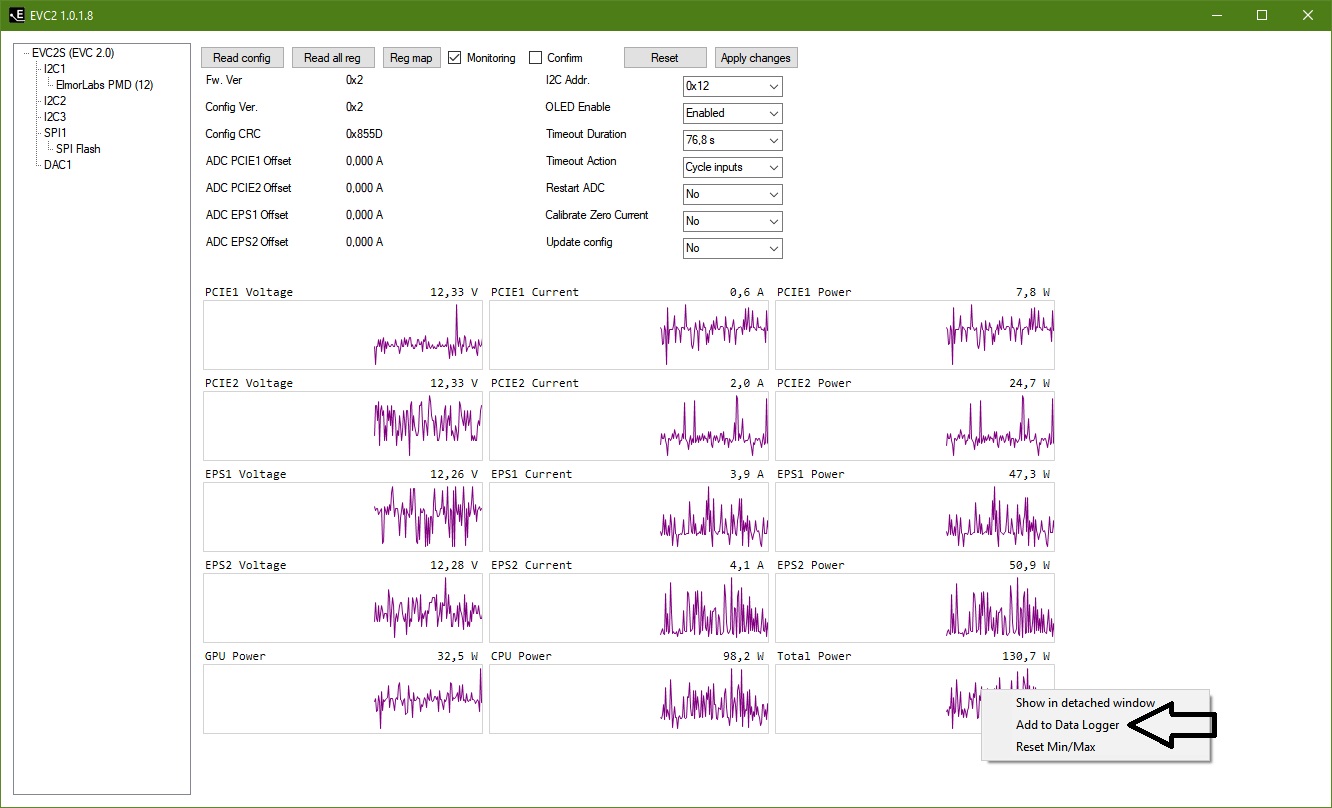
- For getting all the Data from PMD I need to select "Monitoring" and add then the following values to "Data Logger" : Total Power, CPU Power, GPU Power (Pic 2.jpg).
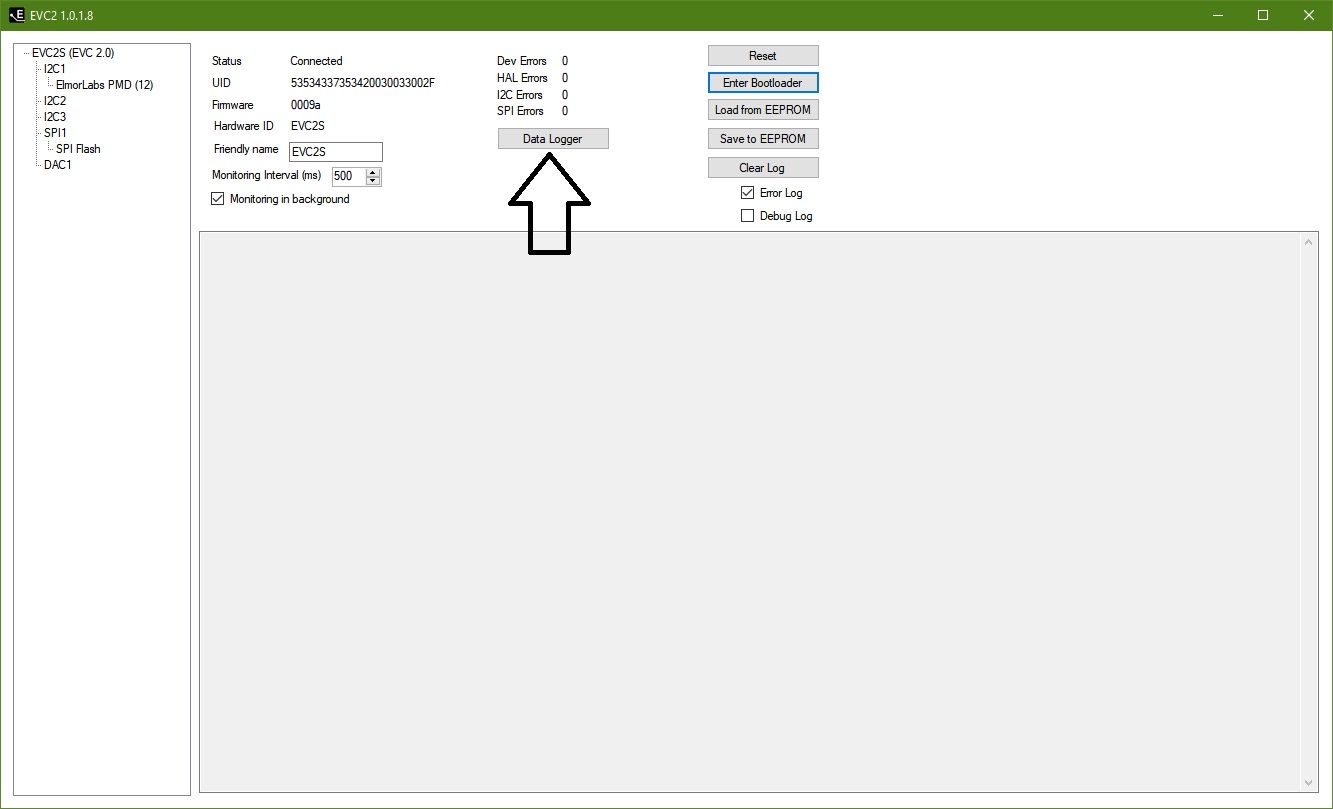
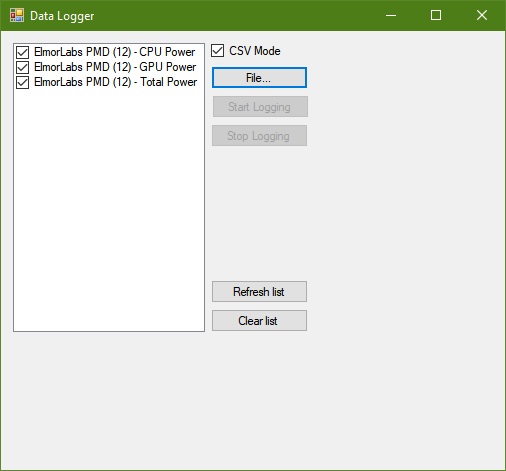
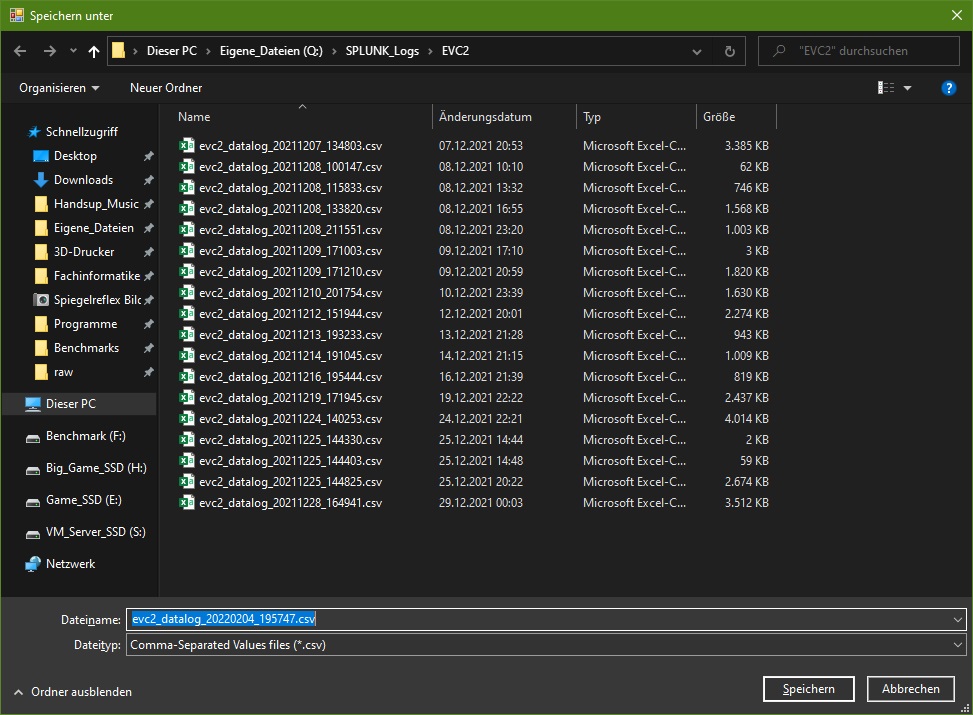
- Back to the EVCS Main page I have to click on "Data Logger" (Pic 3.jpg) and in the following windows (Pic 4.jpg) click on "File...". There I have to specify the Path and Filename (Pic 5.jpg). The predefined Filename from EVC2 is evc2_datalog_Date_Time.csv would be ok for the future. So everytime the computer starts up a new file would be created then with the actual Date and Timedump. Otherwise it would also be ok, if the file has always the same name. No Problem for Splunk to pickup the informations out of the file.
- After defining the Filename I'am back to the previos window where I can then finally click on "Start Logging" (Pic 4.jpg), Start logging is not greyed out anymore.
This is my whole process everytime I started up my Rig... Actually there is another beauty faults, because I have to leave open the window in pic 4.jpg and in pic 3.jpg. Closing any of these windows causes to stop the logging into the selected File. As you can see there are a lots of steps which are always to be made for getting the logs on disk.
It would be really awesome if you could do a small application for this purpose to have things much easier here.
Best regards
Mario
Hi Elmor,
this sounds really cool! So I can show you in detail the steps I need to to in EVC2 for having everything setup.
- First thing is selecting the bus by clicking on "Find devices" and "Add" (Pic 1.jpg).
- For getting all the Data from PMD I need to select "Monitoring" and add then the following values to "Data Logger" : Total Power, CPU Power, GPU Power (Pic 2.jpg).
- Back to the EVCS Main page I have to click on "Data Logger" (Pic 3.jpg) and in the following windows (Pic 4.jpg) click on "File...". There I have to specify the Path and Filename (Pic 5.jpg). The predefined Filename from EVC2 is evc2_datalog_Date_Time.csv would be ok for the future. So everytime the computer starts up a new file would be created then with the actual Date and Timedump. Otherwise it would also be ok, if the file has always the same name. No Problem for Splunk to pickup the informations out of the file.
- After defining the Filename I'am back to the previos window where I can then finally click on "Start Logging" (Pic 4.jpg), Start logging is not greyed out anymore.
This is my whole process everytime I started up my Rig... Actually there is another beauty faults, because I have to leave open the window in pic 4.jpg and in pic 3.jpg. Closing any of these windows causes to stop the logging into the selected File. As you can see there are a lots of steps which are always to be made for getting the logs on disk.
It would be really awesome if you could do a small application for this purpose to have things much easier here.
Best regards
Mario
Uploaded files: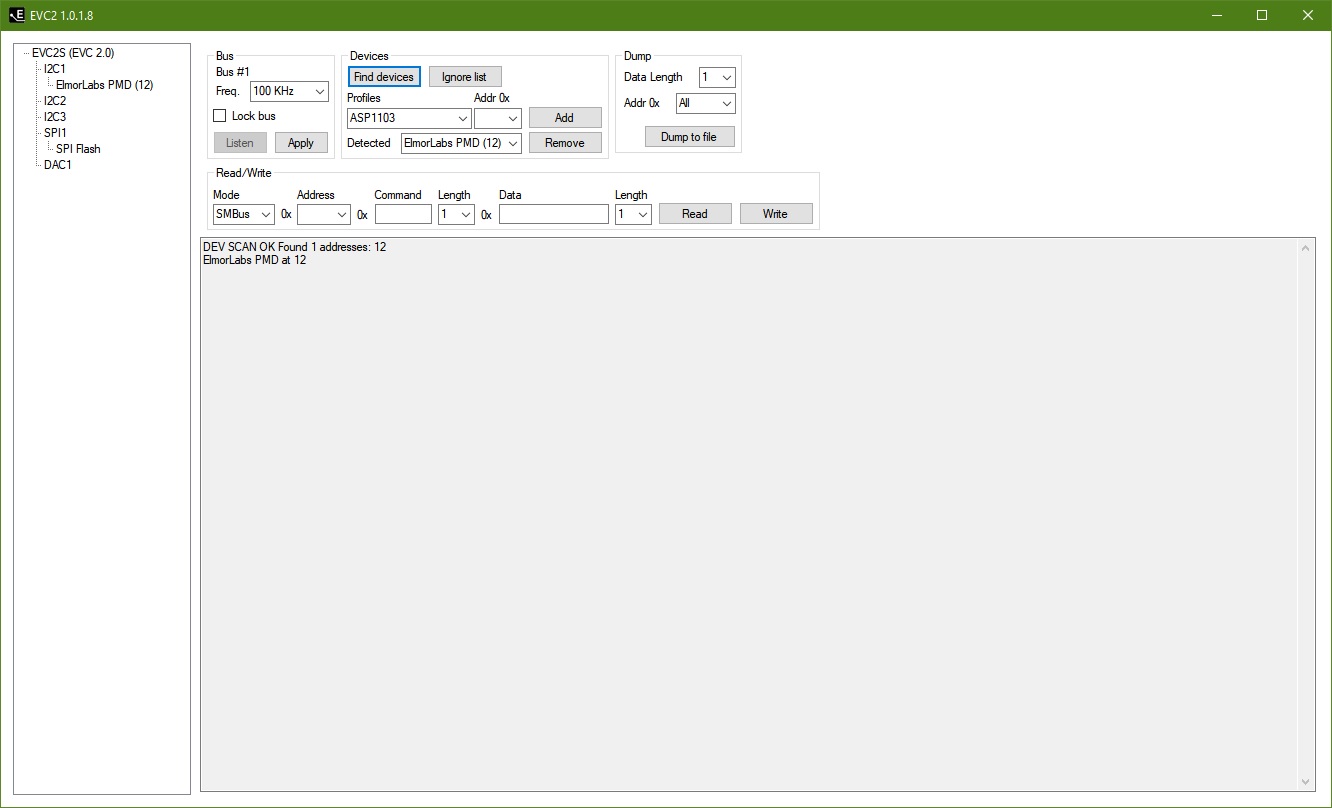
Quote from elmor on 2022-02-18, 23:44Hello Mario,
Sorry for the delay. I hope you can try this test software https://1drv.ms/u/s!Atmpv-6qHr_61rlhm6g3kssqfg3SEQ?e=K4mnwb
- It should spawn as a tray icon application
- It assumes I2C2 bus
- It outputs a pmd.txt file with power values in the same directory as the executable if a PMD is found on I2C2 at any address and can be read from
/Jon
Hello Mario,
Sorry for the delay. I hope you can try this test software https://1drv.ms/u/s!Atmpv-6qHr_61rlhm6g3kssqfg3SEQ?e=K4mnwb
- It should spawn as a tray icon application
- It assumes I2C2 bus
- It outputs a pmd.txt file with power values in the same directory as the executable if a PMD is found on I2C2 at any address and can be read from
/Jon
Quote from Mario Kriegsmann on 2022-02-21, 03:48Hello Elmor,
this is amazing thank you for this extra piece of software! But there is somewhere an error with that. I tried starting with and without administrator privileges but the tool in the tray only displays "No I2C devices found". If I startup the EVC2 software, then I'm able to select the PMD device.
If I try starting the tool while I have the EVC2 tool opened and have the PMD loaded there, then the PMDLogger displays "EVC2 Error DEVICE_BUSSY". So it looks like It is able to get access to the EVC2 but something might be a Problem then with selecting the PMD device itself!?
Maybe you can take a further look into that.
And many many Thanks for that!
Hello Elmor,
this is amazing thank you for this extra piece of software! But there is somewhere an error with that. I tried starting with and without administrator privileges but the tool in the tray only displays "No I2C devices found". If I startup the EVC2 software, then I'm able to select the PMD device.
If I try starting the tool while I have the EVC2 tool opened and have the PMD loaded there, then the PMDLogger displays "EVC2 Error DEVICE_BUSSY". So it looks like It is able to get access to the EVC2 but something might be a Problem then with selecting the PMD device itself!?
Maybe you can take a further look into that.
And many many Thanks for that!
Quote from elmor on 2022-02-21, 13:47Quote from Mario Kriegsmann on 2022-02-21, 03:48Hello Elmor,
this is amazing thank you for this extra piece of software! But there is somewhere an error with that. I tried starting with and without administrator privileges but the tool in the tray only displays "No I2C devices found". If I startup the EVC2 software, then I'm able to select the PMD device.
If I try starting the tool while I have the EVC2 tool opened and have the PMD loaded there, then the PMDLogger displays "EVC2 Error DEVICE_BUSSY". So it looks like It is able to get access to the EVC2 but something might be a Problem then with selecting the PMD device itself!?
Maybe you can take a further look into that.
And many many Thanks for that!
Hello Mario,
I wouldn't call it an error, it's just that currently the EVC2Lib does not support running at the same time as the regular EVC2 software. The function to use both at the same time will be added in the future but I can't give you any timeframe for that. Until then please only use one of them at a time.
/Jon
Quote from Mario Kriegsmann on 2022-02-21, 03:48Hello Elmor,
this is amazing thank you for this extra piece of software! But there is somewhere an error with that. I tried starting with and without administrator privileges but the tool in the tray only displays "No I2C devices found". If I startup the EVC2 software, then I'm able to select the PMD device.
If I try starting the tool while I have the EVC2 tool opened and have the PMD loaded there, then the PMDLogger displays "EVC2 Error DEVICE_BUSSY". So it looks like It is able to get access to the EVC2 but something might be a Problem then with selecting the PMD device itself!?
Maybe you can take a further look into that.
And many many Thanks for that!
Hello Mario,
I wouldn't call it an error, it's just that currently the EVC2Lib does not support running at the same time as the regular EVC2 software. The function to use both at the same time will be added in the future but I can't give you any timeframe for that. Until then please only use one of them at a time.
/Jon
Quote from Mario Kriegsmann on 2022-02-21, 17:27Hello Jon,
thanks for the Information, and yes this will actually not be the problem to have both running at the same time.
But if there is only the PMD Logger started then it displays "No I2C devices found". It looks like the PMD Logger cannot find the correct bus-address or something like that.
Hello Jon,
thanks for the Information, and yes this will actually not be the problem to have both running at the same time.
But if there is only the PMD Logger started then it displays "No I2C devices found". It looks like the PMD Logger cannot find the correct bus-address or something like that.
Quote from elmor on 2022-02-21, 18:34Quote from Mario Kriegsmann on 2022-02-21, 17:27Hello Jon,
thanks for the Information, and yes this will actually not be the problem to have both running at the same time.
But if there is only the PMD Logger started then it displays "No I2C devices found". It looks like the PMD Logger cannot find the correct bus-address or something like that.
Hello Mario, is the PMD connected to I2C2? Maybe you can show a screenshot of what your EVC2 software looks like with it detected to help figure out why it doesn't find it.
Quote from Mario Kriegsmann on 2022-02-21, 17:27Hello Jon,
thanks for the Information, and yes this will actually not be the problem to have both running at the same time.
But if there is only the PMD Logger started then it displays "No I2C devices found". It looks like the PMD Logger cannot find the correct bus-address or something like that.
Hello Mario, is the PMD connected to I2C2? Maybe you can show a screenshot of what your EVC2 software looks like with it detected to help figure out why it doesn't find it.
Quote from Mario Kriegsmann on 2022-02-21, 18:38Hello Jon,
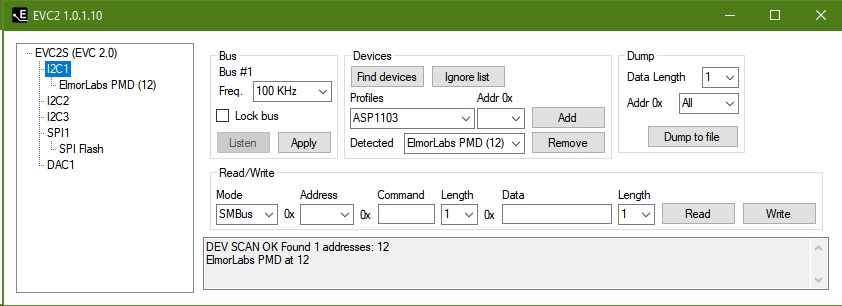
yes sure it is connected to I2C at address 12 - see the Screenshot:
Hello Jon,
yes sure it is connected to I2C at address 12 - see the Screenshot:
Uploaded files:
Quote from elmor on 2022-02-21, 19:39Quote from Mario Kriegsmann on 2022-02-21, 18:38Hello Jon,
yes sure it is connected to I2C at address 12 - see the Screenshot:
Hello, that shows you're using the I2C1 header. You need to connect the PMD to the I2C2 header with the current version of PMDLogger.
/Jon
Quote from Mario Kriegsmann on 2022-02-21, 18:38Hello Jon,
yes sure it is connected to I2C at address 12 - see the Screenshot:
Hello, that shows you're using the I2C1 header. You need to connect the PMD to the I2C2 header with the current version of PMDLogger.
/Jon
Quote from Mario Kriegsmann on 2022-02-21, 20:09Hello Jon,
this did the trick now! So pmd.txt is now generated and there are the current values of the GPU and CPU power visible - cool!
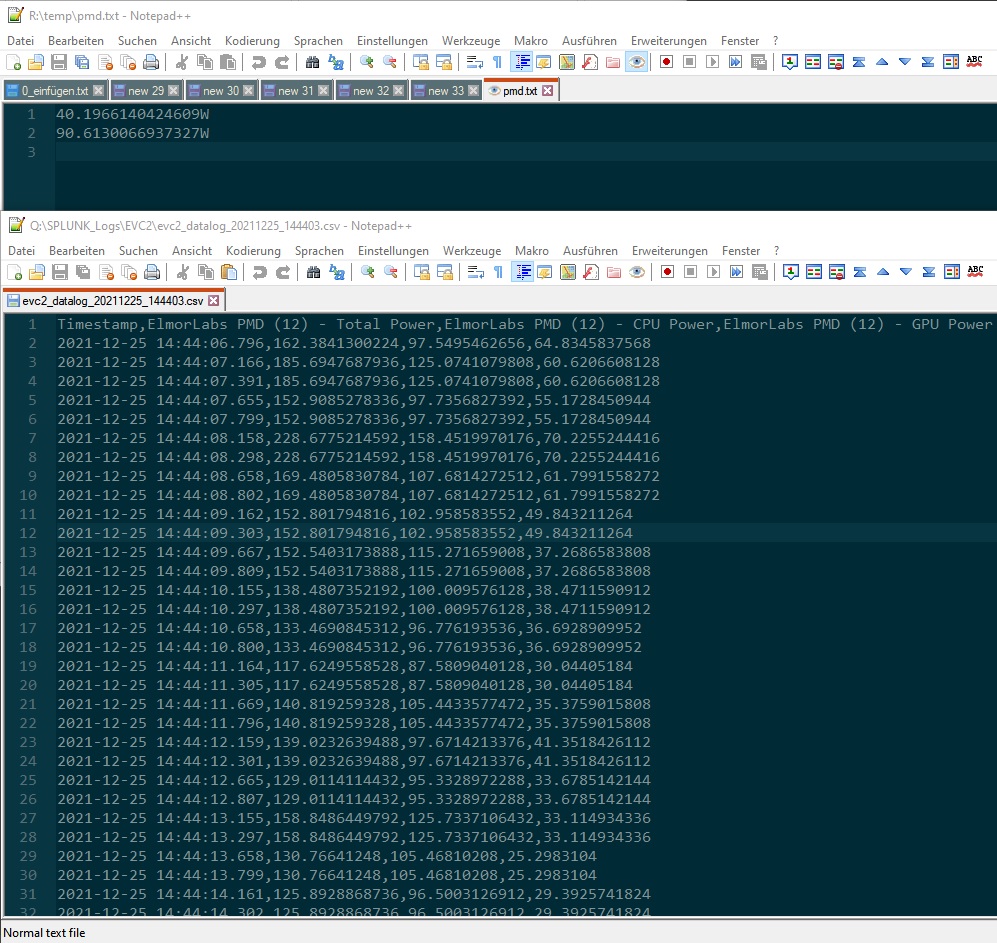
But I noticed a further Problem. So every new read cycle (what is it 250ms refresh?) the log-file gets overwritten with the new value over and over again. The logs should be stayed in the file, that the splunkforwarder can pickup the logs, like in the logging-process with the EVC2-tool. I put a screenshot where you can see the textfile above (pmd.txt) and a logfile from the evc2-tool (at the bottom). Also the Date/Time is missing and without that a matching of the values is not possible. It should be in csv-format like the evc2-tool it does.
Sorry to be a pain again, but you've come so far! Thank you so much for your extra effort!
Hello Jon,
this did the trick now! So pmd.txt is now generated and there are the current values of the GPU and CPU power visible - cool!
But I noticed a further Problem. So every new read cycle (what is it 250ms refresh?) the log-file gets overwritten with the new value over and over again. The logs should be stayed in the file, that the splunkforwarder can pickup the logs, like in the logging-process with the EVC2-tool. I put a screenshot where you can see the textfile above (pmd.txt) and a logfile from the evc2-tool (at the bottom). Also the Date/Time is missing and without that a matching of the values is not possible. It should be in csv-format like the evc2-tool it does.
Sorry to be a pain again, but you've come so far! Thank you so much for your extra effort!
Uploaded files: